
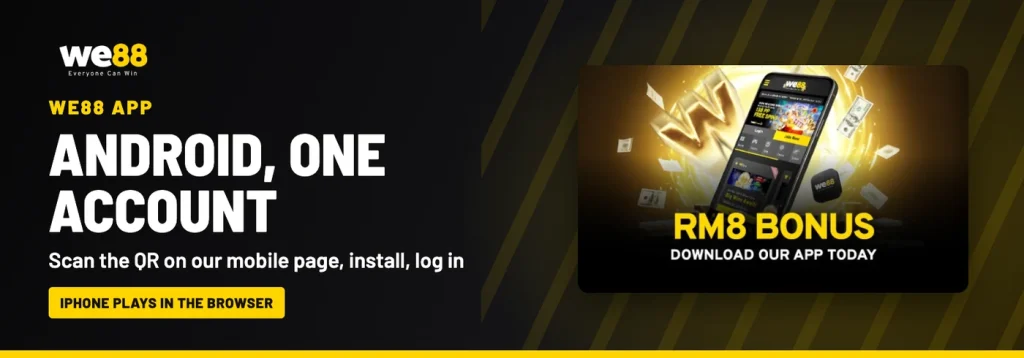
The WE88 app is our Android app, and it opens the same account you already use in the browser. There is no second registration and no separate balance: you sign in with your existing details, and your bets, pending turnover and rebates are all where you left them. Installation runs from a QR code published on our own mobile download page.
Apple users are not left out. We do not publish an iOS app, so iPhone and iPad members play in the mobile browser instead, with the same games and the same cashier.
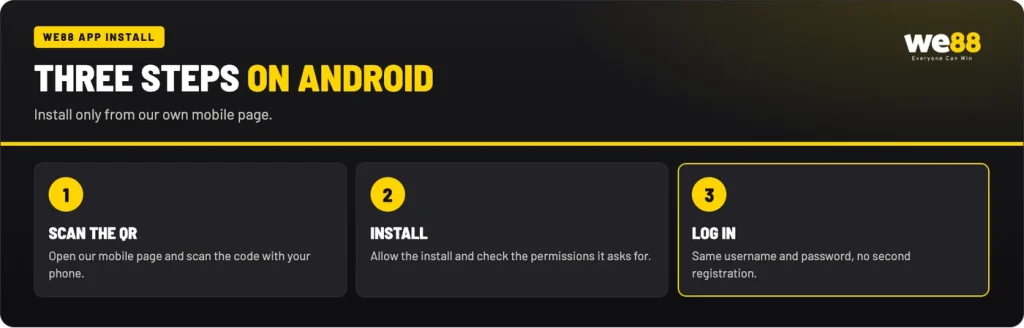
Installing on your Android phone in three steps
A WE88 app download starts in one place only: our official mobile download page, where the QR code for the installation file is published. Open that page on your phone, or display it on a desktop screen and scan the code with your phone camera. Android then handles the rest of the process in the usual way.
- Open our mobile download page. It is linked from the lobby menu, and the download QR code is shown there.
- Scan the QR code with your Android phone. Your camera or QR reader opens the installation file directly, so there is nothing to search for and nothing to copy by hand.
- Allow the install for this file only. Android asks once for permission before installing a file from outside the Play Store. Grant it for this installation, then confirm.
- Open the app and log in. Enter your WE88 username and password, and the lobby loads with your existing balance.
If you have never played with us before, register once and the app accepts the same credentials straight away. If you have forgotten your password, reset it in the browser first: the app signs in with your username and password, exactly like the website.
WE88 app APK safety
An APK is simply the file format Android uses to install an application. In general, phones block installs from outside the Play Store until you approve that specific file, which is why the permission prompt appears during step three. That prompt is normal. What matters is where the file came from in the first place.
WE88 download: only from our own mobile page
The WE88 app APK we support is the one linked from our mobile download page, and nowhere else. We work only with official authorised vendors, and no outside party is authorised to distribute our software or to issue our bonuses on our behalf. File-sharing sites and pages that repackage an installer are outside that chain completely, so a WE88 download offered anywhere else is not ours.
Check the permissions
Read the permission screen before you confirm, rather than tapping through it. Grant the install permission for the file you are opening, not as a standing setting for every source on the phone. As a general habit on Android, reviewing what an app asks for is the simplest check available to you, and it costs a few seconds.
Never install an APK someone sends you
Our staff never ask for your password or a one-time code, in any channel, for any reason. We also never contact members on WhatsApp without prior notice; only your Personal VIP Manager may do so once you hold a VIP tier. So an installation file attached to a message, a group post or an unfamiliar profile did not come from us, however convincing the logo looks.
Keep in mind
An APK file sent by a stranger, a chat group or an unknown profile is not ours; delete it.
What the WE88 app includes
Everything in the lobby travels with you. Sports, esports, live casino, slots and 4D Lottery all sit behind the single login, so there is no switching between separate applications for separate products. Live dealer tables stream to the phone and 4D numbers are bought from the same menu as on a desktop. Because all our games share one account, a bet placed in the app counts towards your turnover exactly as a browser bet does.
Deposits and withdrawals run through the same cashier as the website, including the promotion selector on the deposit form.
WE88 mobile on iPhone and other devices
There is no iOS app to install, so nothing published for the App Store is ours. On an iPhone or iPad, open the lobby in Safari or your preferred browser and log in as normal. WE88 mobile play in the browser carries the same account, the same cashier and the same product menu as the Android build, and nothing is held back from it.
A useful general trick on iOS is to add the lobby to your home screen from the browser share menu. That creates an icon you can tap directly, which removes the step of typing an address every time and behaves much like an app shortcut. The same approach works on Android for anyone who would rather not install a file at all. Tablets, older handsets and work phones with locked-down settings are all served the same way, because a browser session needs no installation permission.
App Free Bonus MYR 8
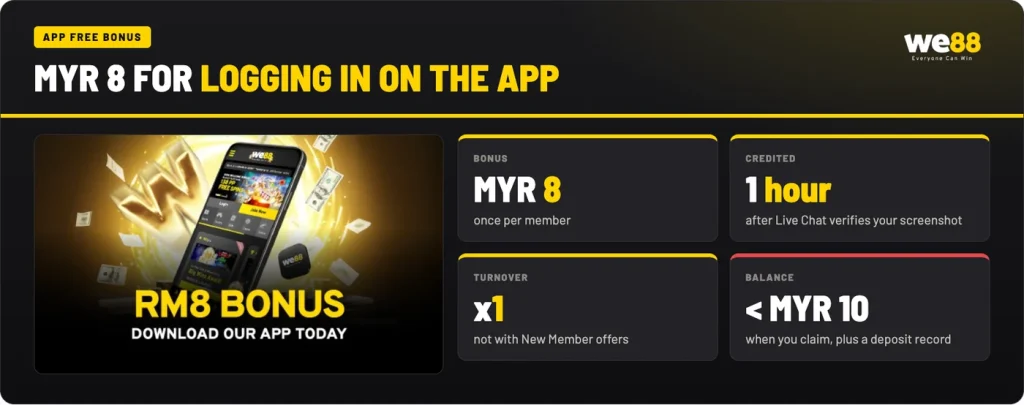
Installing the app earns a small one-off credit of MYR 8. It is not a no-deposit offer: you need at least one deposit recorded on your account in the current year, and your balance has to be under MYR 10 when you ask for it, which is the same condition our reload bonus uses. The turnover attached is x1, so MYR 8 of credit needs MYR 8 of betting turnover before it can be withdrawn.
Stated
APP FREE BONUS MYR 8.
In practice
Claimed through Live Chat with a screenshot of the Account page, once per member, with a balance under MYR 10 and x1 turnover before withdrawal.
How to claim it
Log in on the app, tap the avatar icon to open Account, and take a screenshot of that page. Send the screenshot to Live Chat and the team verifies it, after which the MYR 8 is credited within 1 hour. It can be claimed once per member and cannot be combined with New Member promotions, so claim it after the welcome and reload offers on your account have been cleared rather than alongside them.
The app installs from our mobile download page and uses the account you already have.
FAQ
Is there a WE88 app for iPhone?
No iOS app is published. On an iPhone or iPad you play in the mobile browser, with the same login, the same cashier and the same products as Android members. Adding the lobby to your home screen gives you a one-tap shortcut that behaves much like an app icon.
Do I need a new account for the app?
No. The app uses the account you already have, so you sign in with your existing username and password. There is one balance and one transaction history across the app and the browser, and one account per currency is the rule.
Where do I get the WE88 APK?
From our own mobile download page, by scanning the QR code with your Android phone. We work only with authorised vendors, so an installation file offered in a chat group, a forum post or a random social profile is not ours.
How do I claim the MYR 8 app bonus?
Log in on the app, open Account from the avatar icon, take a screenshot of that page and send it to Live Chat. The MYR 8 is credited within 1 hour after verification, once per member, provided you have at least one deposit recorded in the current year and your balance is under MYR 10.
Can I deposit in the app?
Yes. Deposits and withdrawals run through the same cashier as the browser version, with the same methods, minimums and verification steps. You also pick your promotion on the deposit form in exactly the same way.